Disk I/O operations
Monitoring disk I/O operations helps identify storage bottlenecks and optimize app performance across diverse device configurations.
Disk input/output (I/O) operations are a critical indicator of app performance and battery efficiency. Excessive disk activity can cause slowdowns, increase battery drain, and impact the user experience. By monitoring disk I/O operations in production, you can identify storage bottlenecks, detect inefficient data access patterns, and optimize your application across a wide variety of real-world device configurations.
Understanding disk I/O metrics
Disk I/O operations are measured in operations per second (IOPS) and include both read and write operations:
- Read IOPS - Represents the frequency of data reads from storage (e.g., loading cached data, reading files)
- Write IOPS - Represents the frequency of data writes to storage (e.g., logging, saving user data, syncing)
- Total IOPS - The combined count of read and write operations per second
Values are the average operations per second during each span, calculated as the change in your app’s I/O counters between span start and end, divided by the span duration. If disk data cannot be collected for a span, disk metrics are omitted, but CPU and memory metrics are still reported.
Monitoring these metrics helps you understand how intensively your app is utilizing the device’s storage subsystem and identify opportunities for optimization.
Capturing disk I/O operations
The BugSnag Performance SDKs can be configured to capture disk I/O operations. It is an opt-in feature that requires some initial configuration in your app. Full instructions can be found in the platform-specific documentation:
Spotting high disk I/O usage
Finding areas of your app with high disk I/O activity is valuable for optimizing storage performance and battery efficiency. Disk I/O measurements collected by the BugSnag SDK are aggregated and displayed as an additional Disk IOPS column in the span groups table on the Performance dashboard.
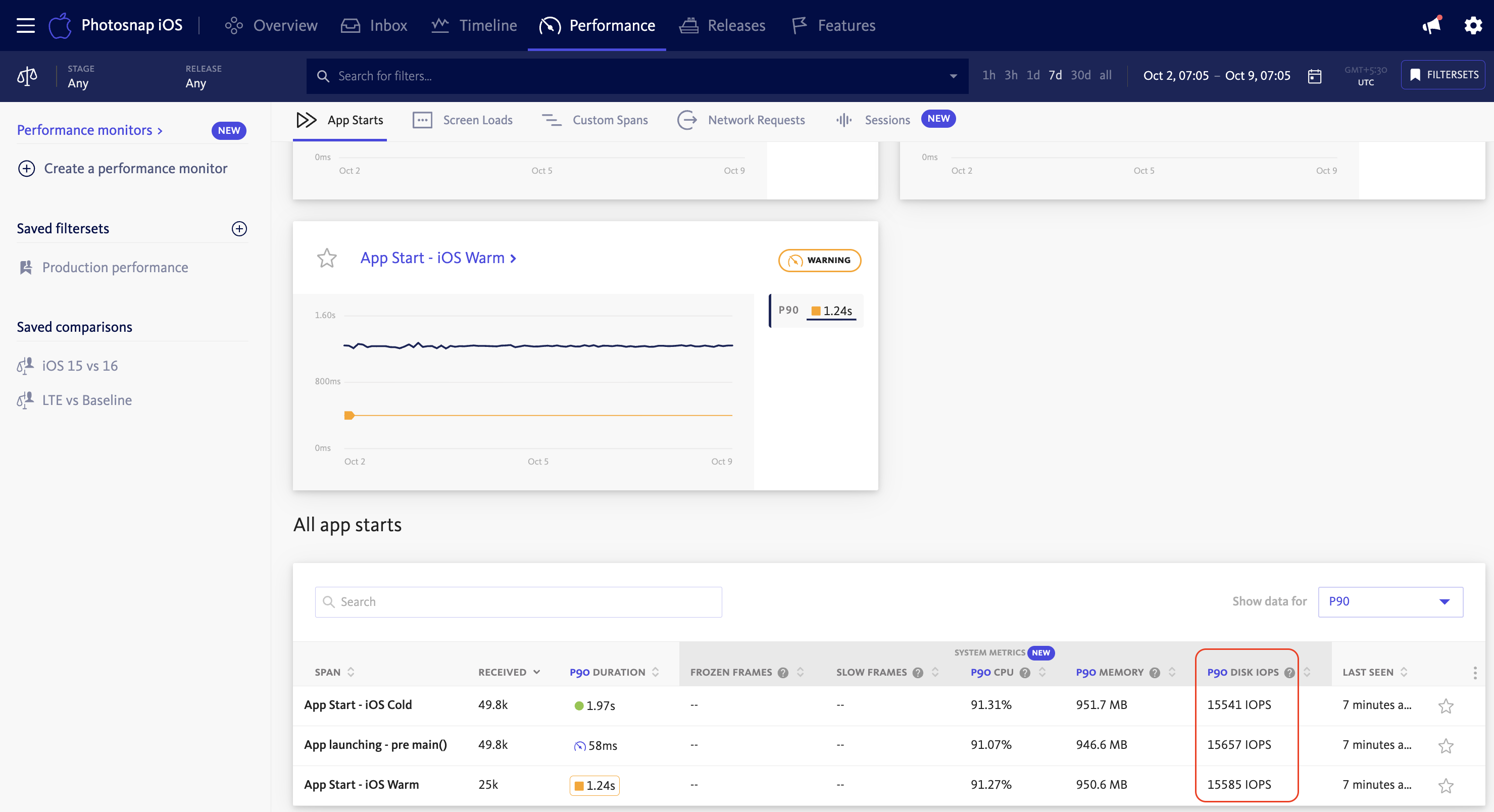
The Disk IOPS column shows the total IOPS for your selected percentile (for example, P90 Disk IOPS) and helps you identify areas of your app that perform the most storage operations. By sorting on this column, you can pinpoint operations that would benefit from optimization, such as:
- Reducing unnecessary file reads or writes
- Implementing caching strategies to minimize repeated disk access
- Batching storage operations to reduce frequency
- Using more efficient data serialization formats
Analyzing disk I/O over time and releases
By selecting a span group, you can examine how disk I/O operations changed over time:
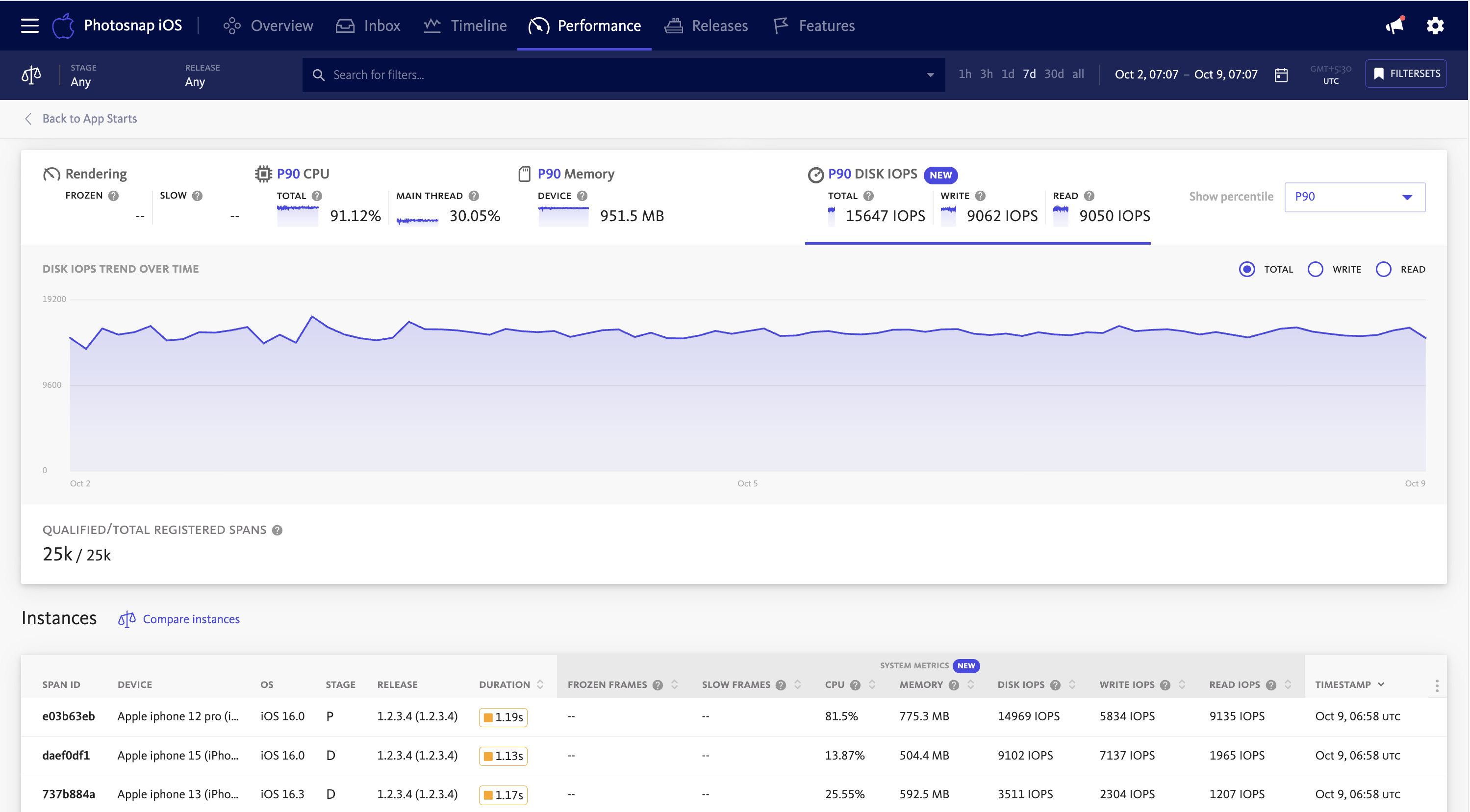
This historical view makes it possible to identify both long-term patterns and recent deviations. Use the Disk Usage tab in the System Metrics panel to switch between Total, Read, and Write IOPS and analyze different dimensions of disk activity. Spikes in disk I/O can indicate:
- Regressions in a new release due to inefficient storage access
- Database optimization opportunities
- Increased logging or telemetry collection
The percentile chosen for analysis provides context for understanding the impact across different user groups. Using P75 shows typical user experience, while P99 highlights issues affecting users with less capable or busier devices.
Comparison mode
To gain deeper insights into disk I/O-related performance issues, BugSnag provides a powerful comparison mode that leverages Custom Filters.
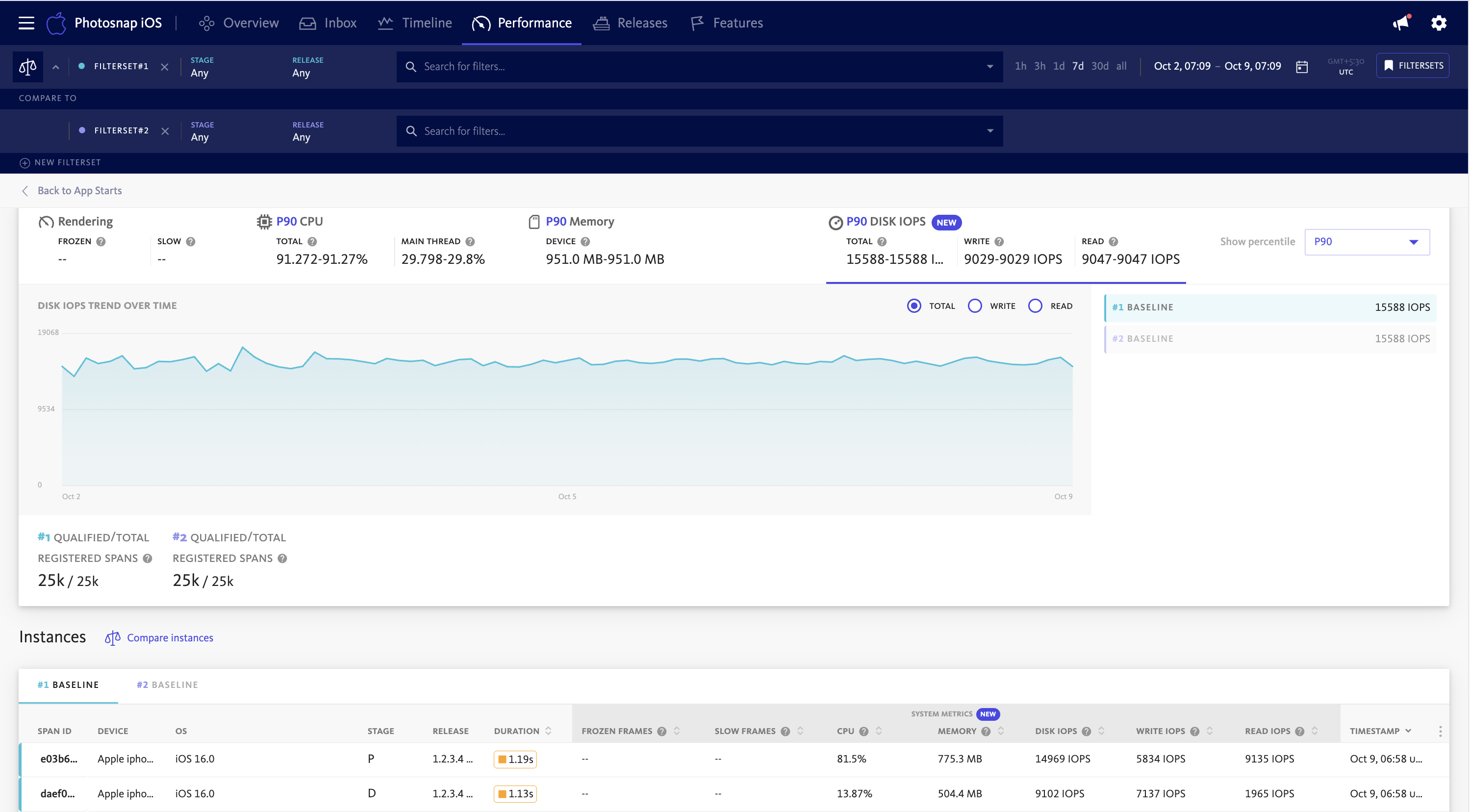
This feature enables analysis of disk operations across different dimensions, such as:
- App stages
- App releases
- Device models
- Operating system versions
By comparing disk I/O usage across releases, you can detect regressions introduced by recent updates. For example, a new feature that increases write operations might indicate inefficient data persistence or unnecessary logging.
Breaking down data by device model or OS version can help uncover platform-specific issues. Certain Android devices or iOS versions might exhibit different storage performance characteristics, and identifying these patterns helps guide optimization efforts to improve the experience for affected users.