E-comm Plan Update Guide
Learn how to upgrade, downgrade, or adjust your BugSnag plan and manage your event and span quotas directly from the dashboard.
BugSnag allows organization administrators on self-serve / e-commerce plans (billed via credit card) to upgrade, downgrade, or adjust event and span quotas directly from the dashboard. Changes to paid subscriptions can be configured with either monthly or annual billing.
ℹ️ Note for Invoiced & Enterprise Customers: Direct dashboard self-service is only available for e-commerce accounts. If your organization pays via invoice or has a negotiated custom enterprise agreement, plan adjustments cannot be made directly in the dashboard. To change your plan, adjust quotas, or discuss custom terms, please reach out to your Account Manager or contact BugSnag Support.
Accessing Billing Settings
To access plan and billing settings in your BugSnag dashboard:
- Click the gear icon in the top-right corner of the dashboard to open Settings
- Under Organization Settings, select Plans and billing
- Click Select Plan to view available tiers and configure your subscription
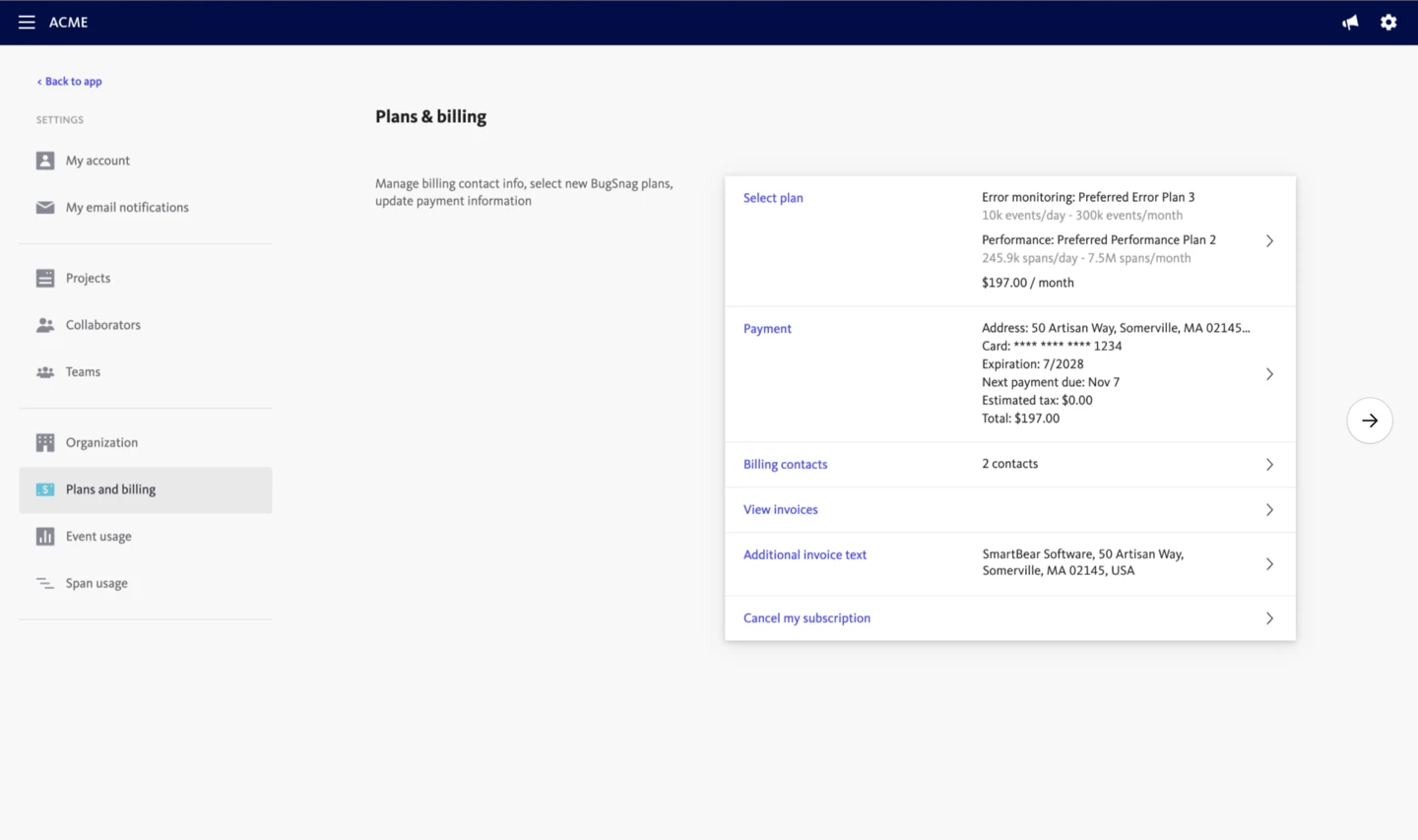
Upgrading or Changing a Paid Plan
When changing between paid tiers (such as Select Plan and Preferred Plan) or adjusting your capacity:
Step 1: Select Your Plan
- From Plans and billing, click Select Plan
- Choose either the Select Plan or Preferred Plan card and click Continue
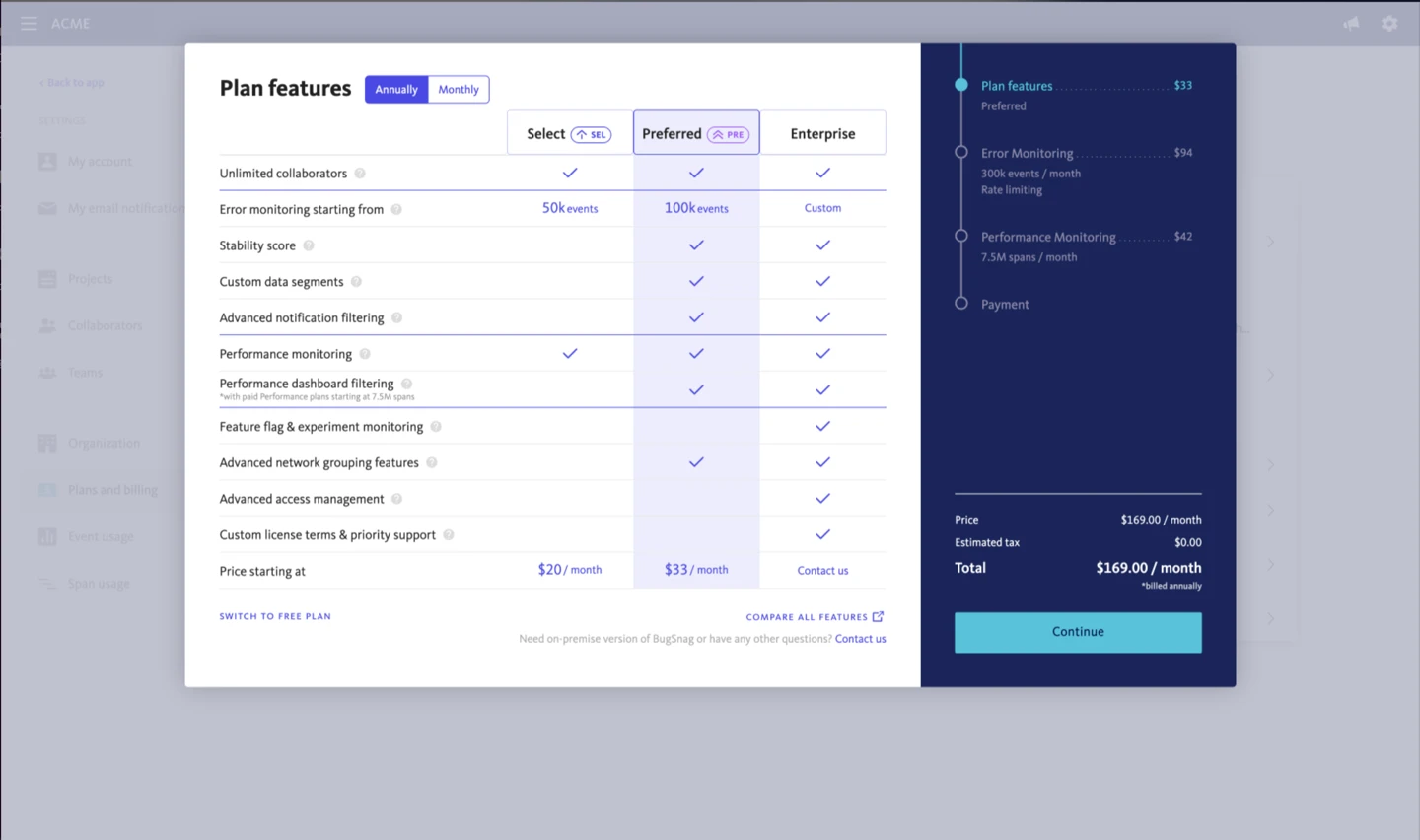
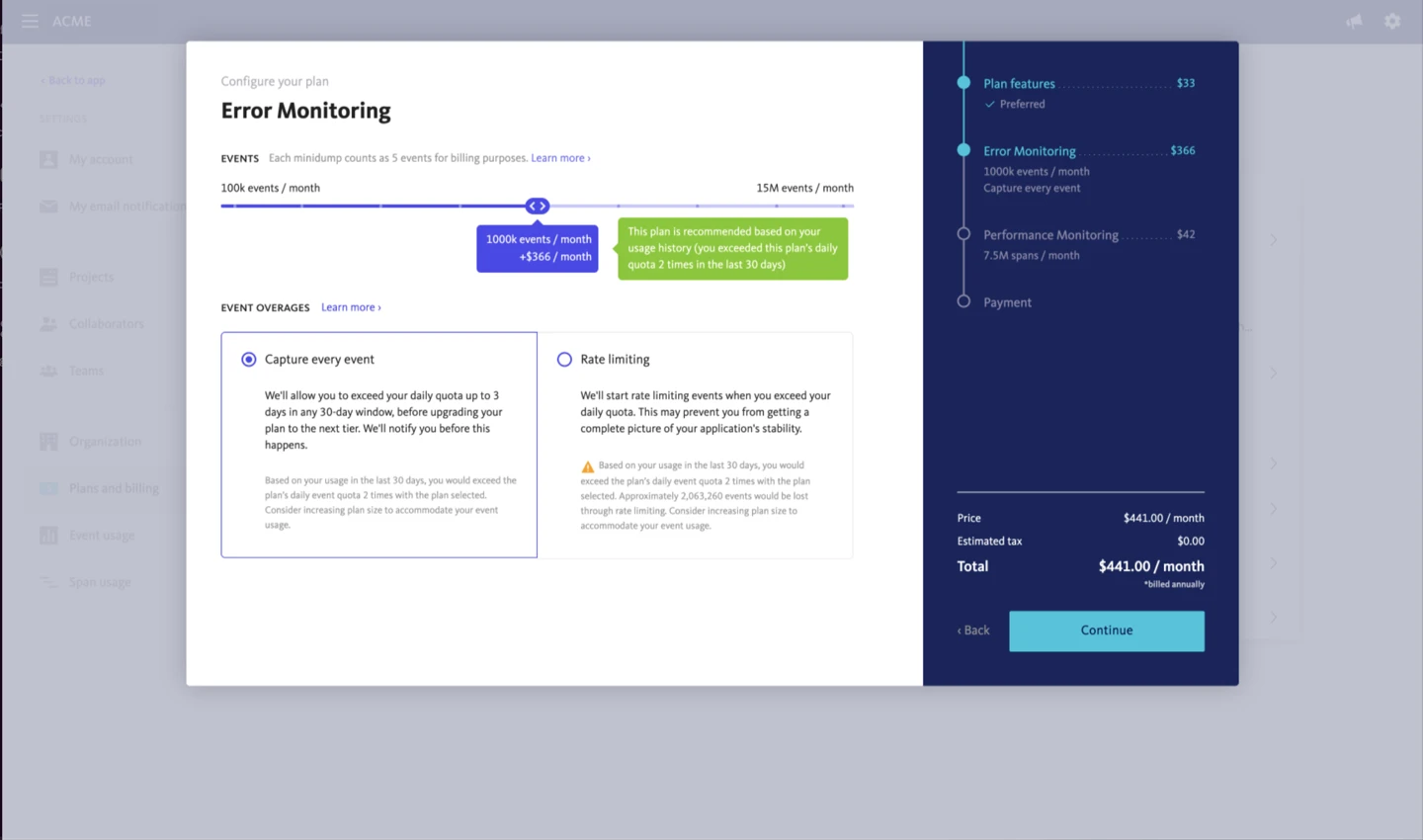
Step 2: Configure Error Monitoring
Adjust your error event settings:
- Adjust the Events slider to your required monthly event quota
- Choose an overage handling preference:
- Capture Every Event: Continues ingesting events after exceeding the daily limit (additional events incur standard overage charges)
- Rate Limiting: Throttles incoming events across the remainder of the day once the daily quota is reached to prevent unexpected charges
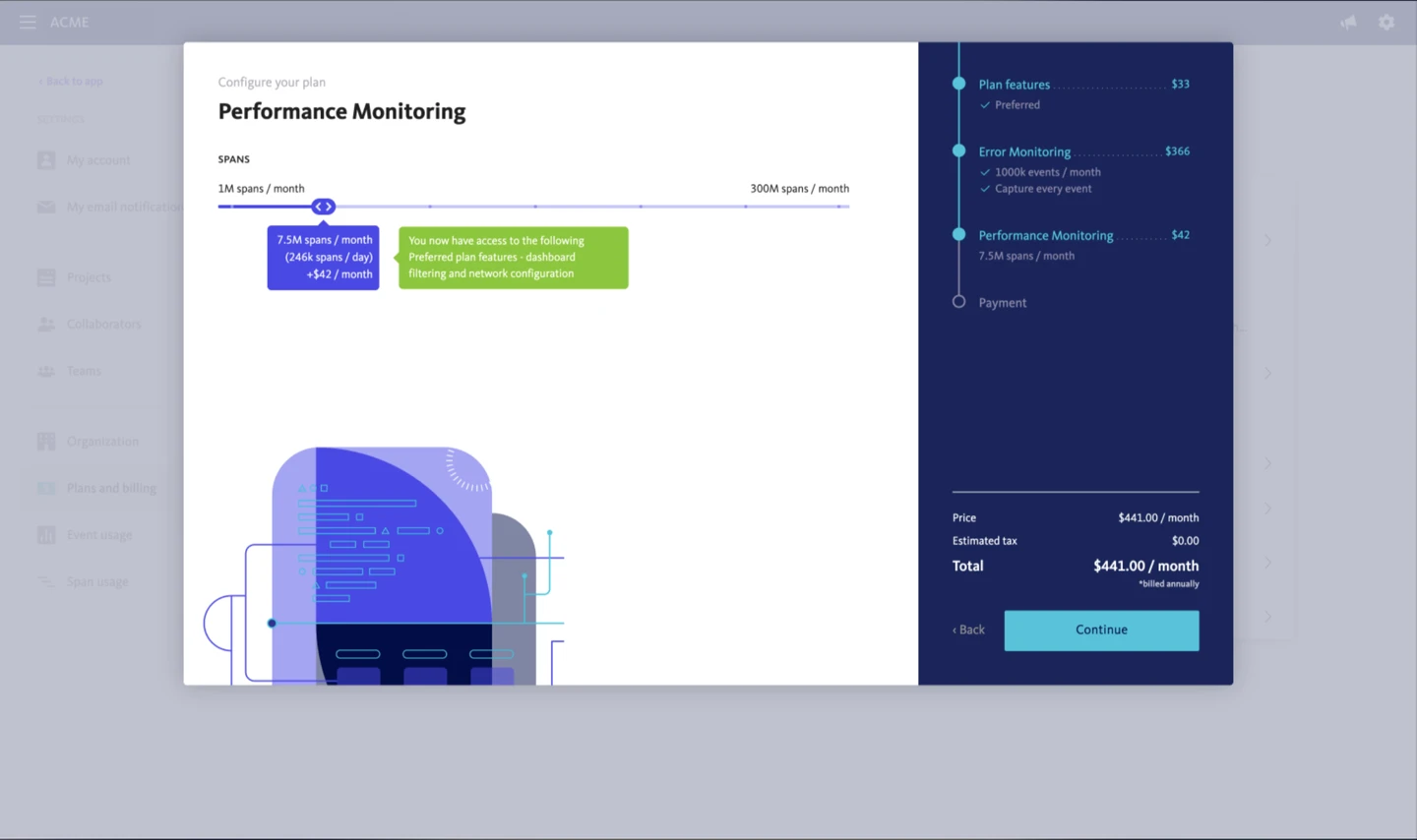
Step 3: Configure Performance Monitoring
- Adjust the Spans slider to your required monthly span quota
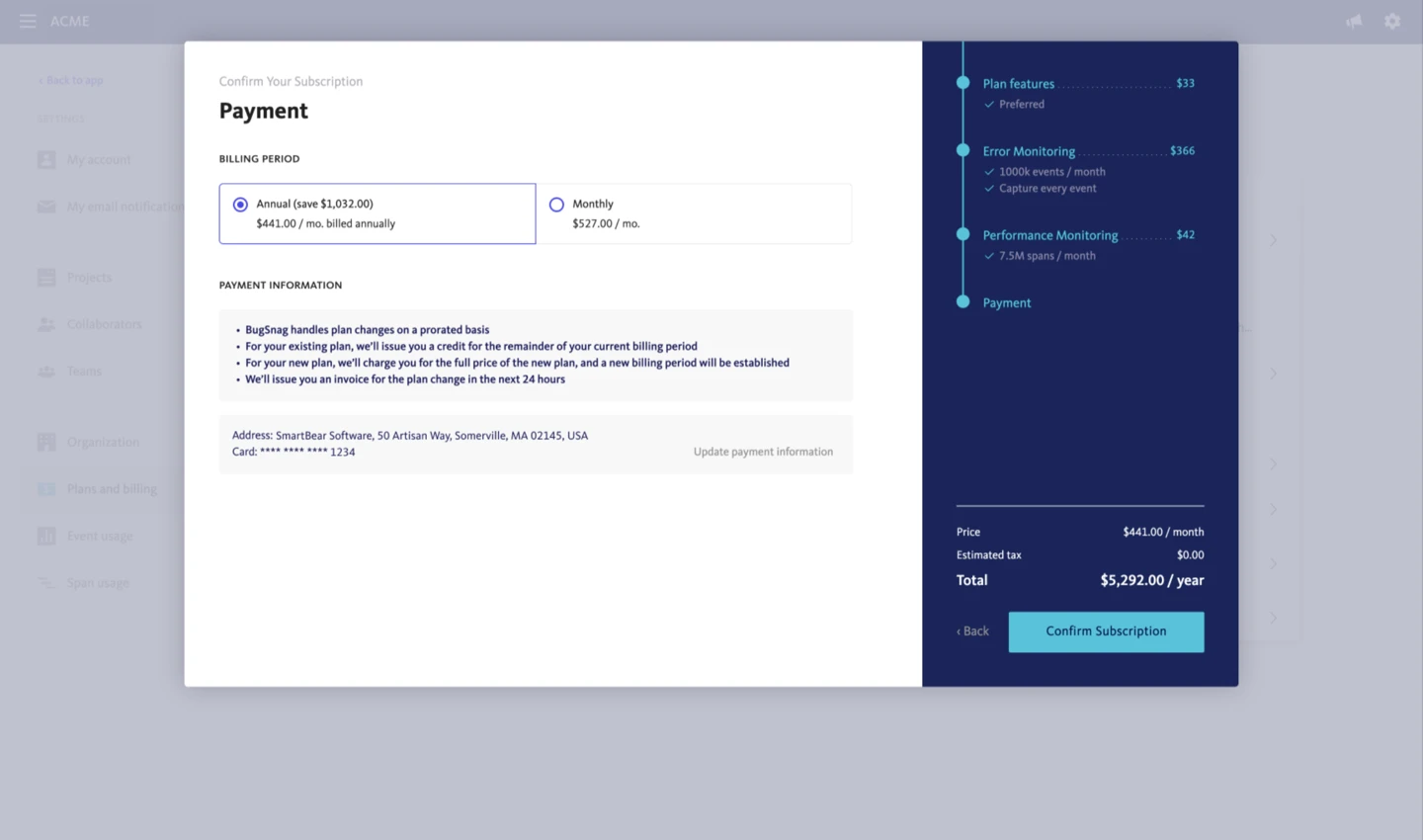
Step 4: Select Billing Frequency
- On the payment screen, select either:
- Annual (includes an annual discount)
- Monthly
- Click Confirm Subscription
Frequently Asked Questions
Can I pay monthly or annually?
Yes. Plans can be billed on a monthly or annual basis. Annual subscriptions include a discount. You can select your billing cadence on the payment screen during plan selection.
What happens if I go over my event quota?
Each plan includes a daily event quota calculated from your monthly tier. Administrators can configure how overages are handled in Plans and billing:
- Capture Every Event: Ingestion continues uninterrupted. Additional events are billed at standard tier overage rates.
- Rate Limiting: Event collection pauses for the rest of the 24-hour window when the daily quota is met. A notification email is sent when rate limiting activates.
For full details, see:
Where can I view and download past invoices?
Invoices and receipts are generated automatically by Stripe upon payment:
- Invoices are accessible at any time under Plans and billing → Invoices
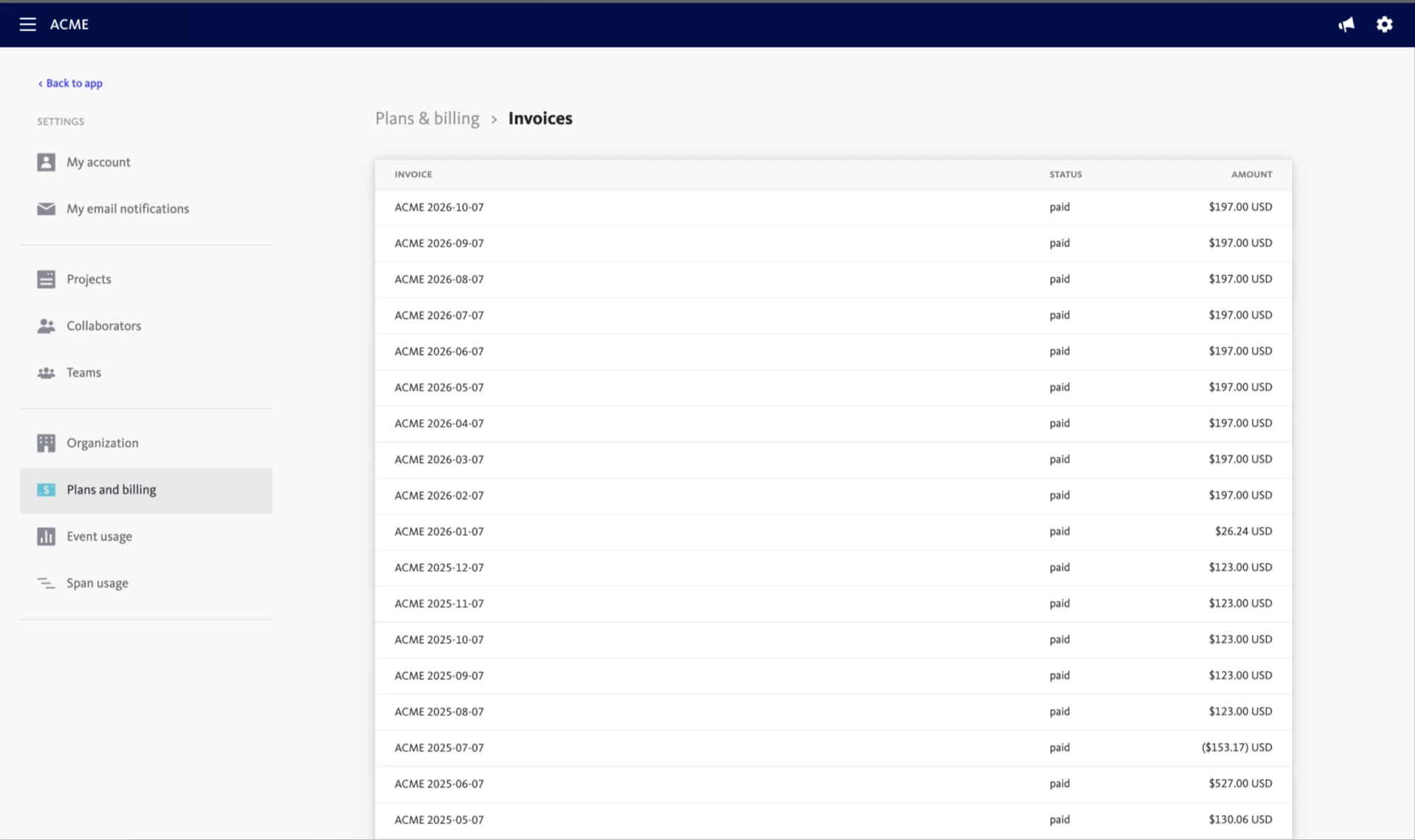
Downloadable PDF copies are also emailed directly to the designated billing contacts for your organization.